A PSD design can show you exactly how a website should look. But a design file alone isn’t a website.
At some point, that carefully designed layout needs to become real code — something a browser can understand, a user can interact with, and a business can actually use.
That’s where PSD to HTML5 conversion comes in.
It takes a static Photoshop design and transforms it into a structured, responsive, functional web page using HTML5, CSS, and other front-end technologies where required.
But good conversion isn’t simply about making a webpage look similar to a PSD file. The real challenge is preserving the designer’s vision while creating a website that works smoothly across different screen sizes, browsers, and devices.
In this guide, we’ll look at what PSD to HTML5 conversion involves, how the process works, what to look for in a development partner, and the common mistakes that can affect the final result.
What Is PSD to HTML5 Conversion?
PSD to HTML5 conversion is the process of transforming a Photoshop Design (PSD) into a working website using HTML5 and related front-end technologies.
A PSD is primarily a visual design file. It can contain layouts, typography, colors, images, buttons, icons, and other interface elements, but it doesn’t provide the browser-ready structure needed to display those elements as an interactive website.
During conversion, the design is carefully analyzed and translated into code.
For example:
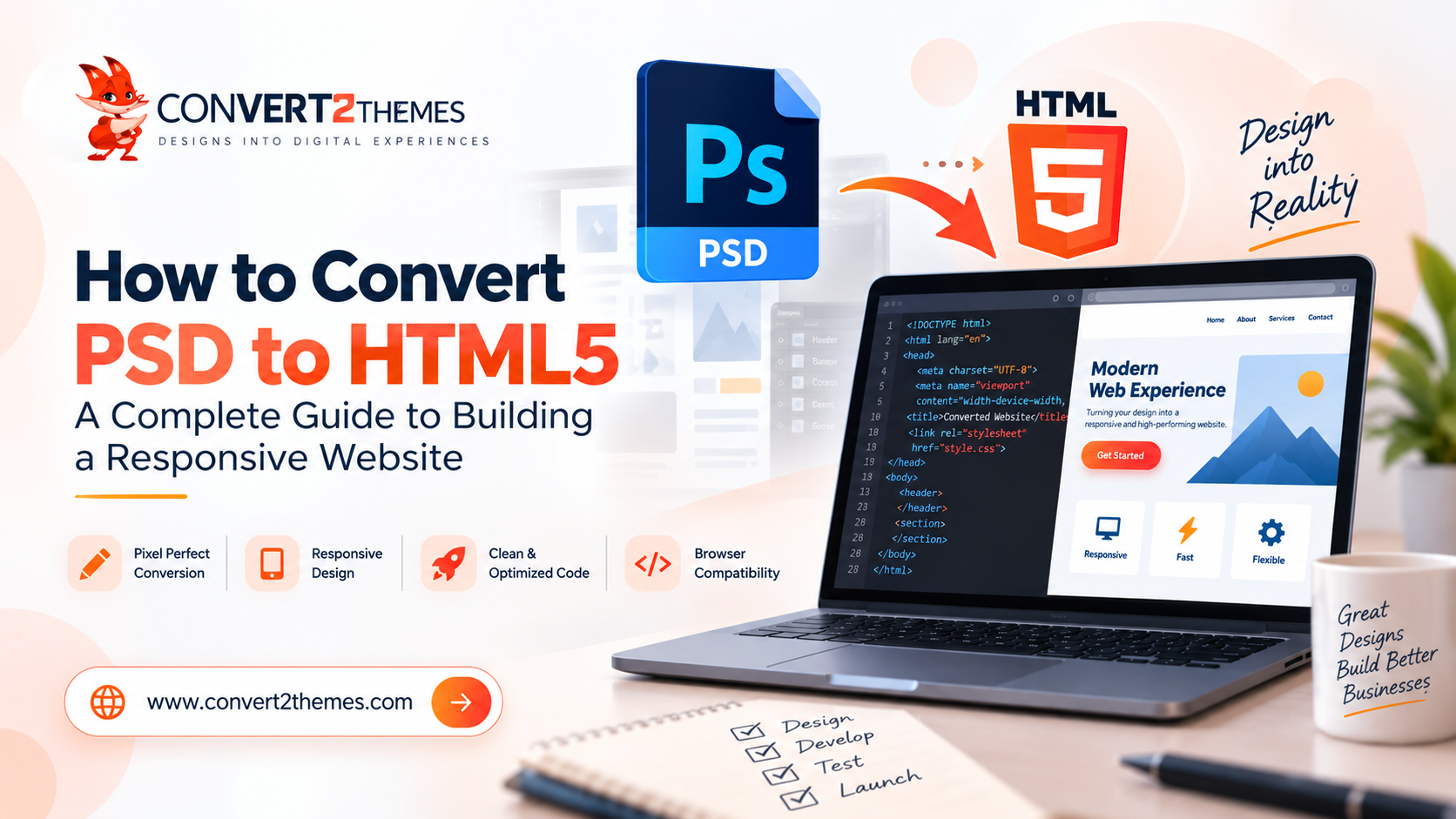
PSD design → HTML5 structure → CSS styling → Responsive layout → Testing → Website
The objective is to make the finished website closely reflect the original design while ensuring that it behaves properly in the real world.
A successful conversion should not just look right. It should also be:
- Responsive
- Easy to navigate
- Well structured
- Fast and efficient
- Compatible with modern browsers
- Easy to maintain
- Ready for further development
Why Convert a PSD Design to HTML5?
If you already have a professionally designed PSD, converting it into HTML5 can provide a strong starting point for your website.
1. Preserve Your Original Design
Your PSD represents the visual direction of your website.
A careful conversion keeps important design elements such as spacing, typography, colors, images, buttons, and layouts consistent with the original concept.
This is particularly useful when pixel accuracy matters to your brand.
2. Create a Responsive Website
A PSD may primarily show a desktop layout, but your actual website needs to work on much more than a desktop screen.
The converted HTML5 website can be structured to adapt to:
- Desktop computers
- Laptops
- Tablets
- Smartphones
- Different screen resolutions
The goal isn’t simply to shrink the desktop design. Elements may need to rearrange, resize, or change their behavior depending on the available screen space.
3. Build a Strong Front-End Foundation
HTML5 provides a structured foundation for the website.
Once the PSD has been converted into a clean front-end, developers can continue building additional functionality, integrations, CMS features, forms, ecommerce functionality, or other components on top of it.
4. Improve Maintainability
A well-organized conversion makes future changes easier.
Instead of having a website built around complicated or unnecessary code, a properly structured front end gives developers a cleaner foundation to work with.
5. Make the Design Ready for Development
Design and development are two different stages of a website project.
PSD to HTML5 conversion bridges that gap.
The visual concept created by the designer becomes a working interface that developers can build upon.
How Does PSD to HTML5 Conversion Work?
A quality conversion process usually involves several stages. Each stage plays a role in turning the design into a usable website.
1. Design Analysis
Before writing code, the design needs to be understood.
Developers examine the PSD for:
- Page layouts
- Typography
- Colors
- Images
- Icons
- Buttons
- Navigation
- Content sections
- Repeated design elements
- Interactive components
This initial analysis helps identify how the design should be structured in HTML and CSS.
It also helps uncover potential issues before development begins.
2. Asset Preparation
A PSD can contain many visual assets.
Images, icons, logos, backgrounds, and other elements may need to be prepared for web use.
The goal is to use the right assets without unnecessarily increasing page weight.
This stage can include:
- Extracting images
- Preparing icons
- Optimizing graphics
- Organizing assets
- Selecting appropriate image formats
Good asset preparation can make the development process cleaner and the final website more efficient.
3. Building the HTML5 Structure
This is where the static design starts becoming a real webpage.
The page layout is translated into HTML5 elements and a logical document structure.
Instead of treating the design as one large image, individual sections are created as actual web elements.
For example:
- Header
- Navigation
- Hero section
- Content areas
- Cards
- Forms
- Footer
The structure should be organized so that it makes sense not only visually, but also from a development and content perspective.
4. Adding CSS Styling
Once the structure is in place, CSS is used to recreate the visual appearance of the PSD.
This includes:
- Colors
- Fonts
- Spacing
- Borders
- Shadows
- Alignment
- Dimensions
- Layout behavior
- Hover states
- Responsive styling
This is one of the most important stages for achieving a close match between the original design and the finished website.
5. Making the Design Responsive
This is where a PSD conversion becomes more challenging.
The original PSD may have been created around a specific screen size. A real website cannot assume that every visitor will use that same screen.
Developers need to determine how the layout should behave when the available space changes.
For example, a three-column section on desktop may become:
Desktop:
3 columns
Tablet:
2 columns
Mobile:
1 column
Navigation, images, typography, spacing, and other components may also need adjustments.
A good responsive implementation makes these changes feel natural rather than simply squeezing everything into a smaller screen.
What Makes a Good PSD to HTML5 Conversion?
Not every PSD conversion produces the same quality of website.
Several factors separate a quick conversion from a professional one.
Pixel Accuracy
The finished website should respect the original design rather than loosely interpreting it.
Details such as spacing, font sizes, alignment, colors, and proportions can have a noticeable impact on the final result.
Responsive Behavior
The website should remain usable across different devices.
A design that looks excellent on a desktop but becomes difficult to use on mobile isn’t a successful conversion.
Clean Code
The code should be structured logically and remain manageable for future developers.
This becomes increasingly important when the website will later be expanded or integrated with another platform.
Performance
Images, styles, scripts, and other resources should be handled carefully.
Unnecessary assets or inefficient implementation can affect how quickly the website loads and responds.
Browser Compatibility
The website should be tested across relevant modern browsers and screen sizes to identify layout or functionality issues before launch.
Accessibility
A website shouldn’t only look good.
Its structure and interactions should also consider users who navigate the web in different ways.
PSD to HTML5 vs Ready-Made Templates
One common question is whether it’s better to convert an existing PSD or simply purchase a ready-made HTML template.
There isn’t one answer for every project.
A ready-made template can be useful when speed and simplicity are the primary concerns.
But if your business already has a specific design and brand identity, converting that design gives you much greater control over the final result.
PSD to HTML5
Better suited for:
- Custom designs
- Unique brand experiences
- Existing Photoshop designs
- Pixel-focused projects
- Businesses wanting greater design control
Ready-Made Template
Better suited for:
- Projects using a standard layout
- Quick launches
- Businesses comfortable adapting an existing design
- Projects where extensive customization isn’t required
If the design has already been created specifically for your business, converting that design can help maintain its original visual identity.
Common PSD to HTML5 Conversion Mistakes
A conversion can look straightforward from the outside, but several problems can appear during development.
Ignoring Mobile Layouts
One of the biggest mistakes is treating the desktop PSD as the complete specification.
A real website needs to account for smaller screens and different interaction patterns.
Sacrificing Design Accuracy
Making the website responsive shouldn’t mean abandoning the original design.
The challenge is finding the right balance between visual accuracy and practical responsive behavior.
Using Unnecessary Code
More code doesn’t automatically mean a better website.
Unnecessary markup, styles, scripts, or duplicated components can make a project harder to maintain.
Forgetting Image Optimization
Large images can unnecessarily increase page weight.
Visual quality matters, but so does using assets appropriately for the web.
Skipping Testing
A page that works perfectly on the developer’s computer can still have problems elsewhere.
Testing should cover relevant browsers, screen sizes, interactions, and common user scenarios.
Treating SEO as an Afterthought
SEO shouldn’t mean simply inserting keywords into the HTML.
A good website needs a logical structure, accessible content, sensible headings, descriptive elements, and a foundation that search engines can understand.
Is PSD to HTML5 Still Useful for Modern Websites?
Yes — particularly when the project begins with a custom visual design.
Modern website development has changed significantly, but the need to translate visual designs into functional interfaces hasn’t disappeared.
Designers may now work with Photoshop, Figma, Adobe XD, or other tools, but the fundamental challenge remains the same:
How do you turn a visual concept into a usable digital experience?
PSD to HTML5 is one approach to solving that problem when Photoshop is the starting point.
The same design-to-development principle can also apply to other formats such as Figma and Adobe XD.
When Should You Choose PSD to HTML5 Conversion?
PSD to HTML5 conversion can be a good choice when:
- You already have a completed PSD design.
- Your website needs a custom visual identity.
- You want more control than a ready-made template provides.
- Pixel accuracy is important.
- You need a responsive front-end.
- The HTML needs to become the foundation for further development.
- You want the design translated into a structured website rather than simply displayed as an image.
If your project already has a clear design direction, conversion can help move it from the design stage toward a working website.
How Much Does PSD to HTML5 Conversion Cost?
There isn’t a single price that applies to every PSD to HTML5 project.
The cost depends on the complexity and requirements of the individual design.
Factors can include:
- Number of pages
- Number of unique layouts
- Design complexity
- Responsive requirements
- Animations and interactions
- Number of components
- Custom functionality
- Browser and device testing
- Required revisions
- Additional integrations
A simple landing page and a large multi-page website may both start with PSD files, but the amount of development involved can be very different.
For that reason, a project-specific assessment is generally more useful than a generic price estimate.
How to Choose the Right PSD to HTML5 Development Partner
The conversion company you choose can have a significant impact on the final website.
Before starting, look beyond the promise of a “pixel-perfect conversion.”
Ask whether the development team understands:
Design Accuracy
Can they faithfully translate the visual design into a working interface?
Responsive Development
Do they consider how the design should behave on mobile and tablet screens?
Development Quality
Will the resulting code be organized and maintainable?
Testing
What devices and browsers will be tested before delivery?
Communication
Will you have an opportunity to review the implementation and request reasonable refinements?
Future Development
Can the converted front end serve as a foundation for the next stage of your project?
These questions can help you choose a development partner based on the quality of the final website, rather than simply the speed of conversion.
PSD to HTML5: From Design File to Working Website
A PSD is where the visual idea begins. HTML5 is where that idea starts becoming something people can actually use.
The best conversions don’t simply copy what is visible in Photoshop. They interpret the design carefully and translate it into a responsive, structured, maintainable web experience.
That means thinking about more than colors and spacing.
It means considering responsiveness, usability, performance, accessibility, browser compatibility, and future development at every stage.
At Convert2Themes, the focus is on turning design concepts into functional digital experiences, including PSD-based theme development and other design-to-theme conversion services. The company’s existing service information also highlights PSD-to-HTML and other design conversion requirements.
Have a PSD design ready to convert?
Explore our PSD to HTML5 development service and take the next step from design to a working website.
Frequently Asked Questions
PSD to HTML5 conversion is the process of transforming a Photoshop design file into a working webpage using HTML5 and related front-end technologies. The design is translated into structured code while maintaining its visual appearance and responsive behavior.
It can be. A professional conversion should consider how the design needs to behave across desktop, tablet, and mobile screen sizes rather than simply reproducing the desktop layout.
Yes. A PSD can be used as the visual foundation for a custom website. The resulting HTML5 front end can then be integrated with additional functionality or a preferred platform depending on the project requirements.
The timeline depends on factors such as the number of pages, design complexity, responsive requirements, interactions, and testing requirements. A simple single-page design will generally require less development work than a large multi-page website.
It depends on the project. PSD to HTML5 is particularly useful when you already have a custom design and want to preserve its visual identity. A ready-made template may be more suitable when speed and a standard design are the main priorities.
Yes. SEO-friendly development can be considered during the conversion by creating a logical page structure, properly organizing headings and content, using descriptive elements, and maintaining a technically sound front end.
The converted front end can potentially serve as a foundation for further development, including integration with a CMS or other platform. The exact approach depends on the project architecture and requirements.
Ideally, you should provide the PSD design along with any available fonts, images, icons, content, style guidelines, and project requirements. Clear information about responsive behavior or additional functionality can also help the development team understand the intended result.