A custom ecommerce design can communicate your brand before a customer reads a single word.
The colors, product layout, navigation, typography, buttons, banners, and checkout journey all contribute to how shoppers experience your store.
But having the design is only the beginning.
If your store has been designed in Photoshop, the next step is turning that visual concept into a working Shopify storefront. That’s where PSD to Shopify conversion comes in.
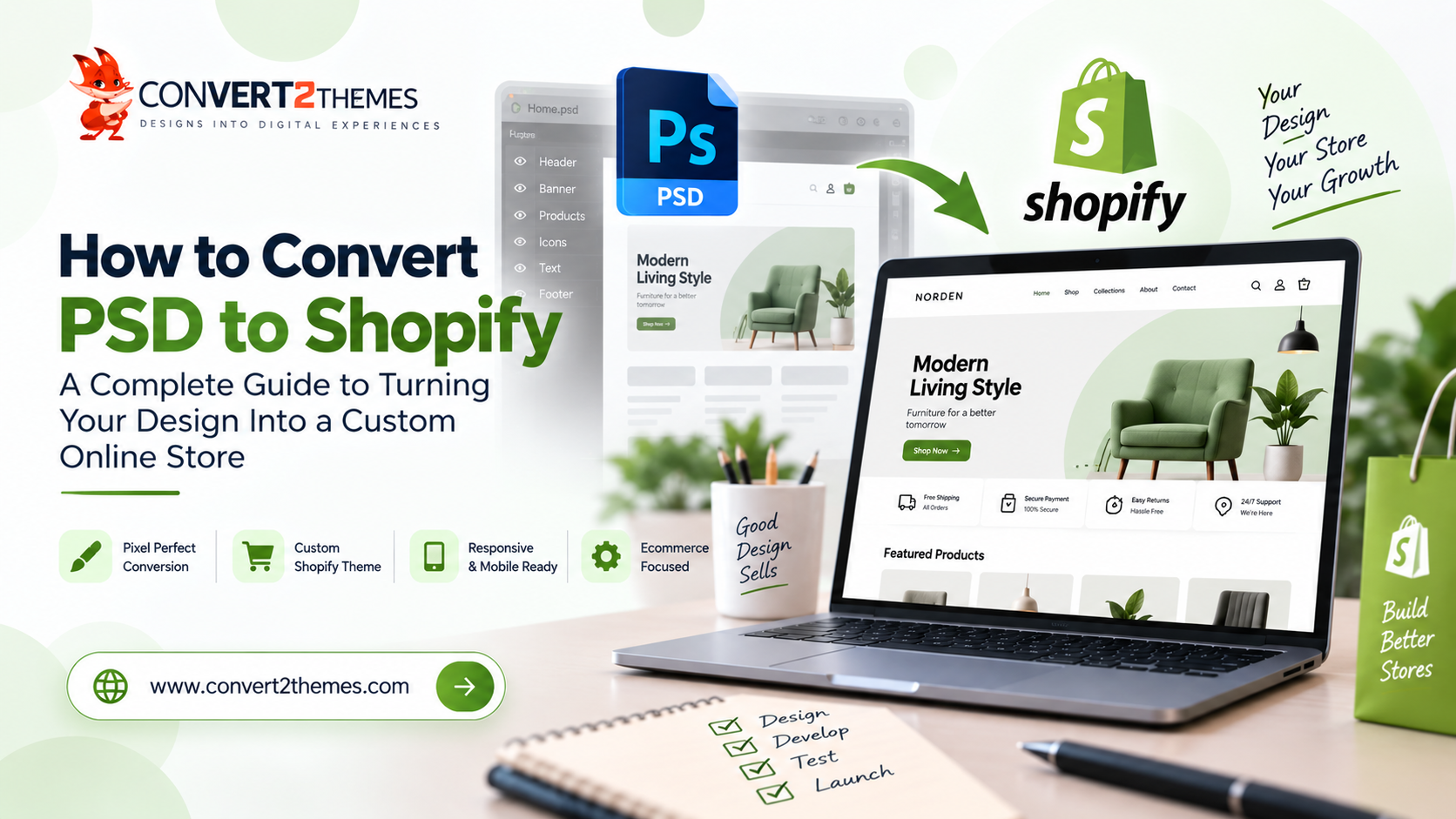
The process involves taking a static PSD design and translating it into a functional Shopify theme while maintaining the look and feel of the original design.
But a successful conversion isn’t simply about making Shopify “look like the PSD.”
The finished store needs to work for real shoppers.
It should be responsive, easy to navigate, visually consistent, practical to manage, and ready to support the ecommerce goals behind the design.
In this guide, we’ll explore how PSD to Shopify conversion works, what makes a custom Shopify implementation effective, common mistakes to avoid, and what to consider when choosing a development partner.
What Is PSD to Shopify Conversion?
PSD to Shopify conversion is the process of transforming a Photoshop design into a functional Shopify storefront.
A PSD file represents the visual appearance of a website or online store. It can define the layout, colors, typography, imagery, product sections, buttons, navigation, and other interface elements.
Shopify, on the other hand, provides the ecommerce platform behind the store.
The conversion process connects these two worlds.
In simple terms:
PSD Design → Theme Development → Shopify Integration → Testing → Store Launch
The objective is to preserve the original design while adapting it to Shopify’s ecommerce environment.
This means the final website should not only resemble the approved design but also provide the functionality shoppers expect from a modern online store.
Why Convert a PSD Design to Shopify?
Shopify provides a powerful foundation for ecommerce, but businesses don’t necessarily want their stores to look like everyone else’s.
A custom design gives you greater control over how your brand and products are presented.
1. Create a Store Around Your Brand
A custom PSD can reflect your specific brand identity.
Instead of starting with a generic storefront and changing a few colors, the design can be developed around your:
- Brand style
- Product categories
- Target customers
- Content
- Promotions
- Navigation
- Product presentation
The result can feel much more intentional.
2. Preserve Your Approved Design
If your designer has already spent time creating the store’s visual experience, you shouldn’t have to abandon that work simply because the store is being developed on Shopify.
PSD to Shopify conversion allows the approved design to become the foundation for the actual storefront.
Important details such as:
- Typography
- Spacing
- Colors
- Product layouts
- Buttons
- Banners
- Navigation
- Promotional sections
can be carried into the Shopify implementation.
3. Build a Responsive Shopping Experience
Customers don’t shop from one screen size.
Some may browse from a desktop at work, others from a tablet, and many from a smartphone.
The Shopify implementation therefore needs to adapt to different devices.
A desktop product grid might display four products in a row, while the same section could display fewer products on smaller screens.
The goal is to make the shopping experience feel natural regardless of the device.
4. Combine Design With Ecommerce Functionality
A PSD primarily describes appearance.
An ecommerce store needs much more.
Customers need to be able to:
- Browse products
- View product details
- Select options
- Add products to their cart
- Move through the purchasing process
- Navigate categories
- Find important information
- Interact with promotional content
PSD to Shopify development brings the visual design together with the functionality required by the store.
How Does PSD to Shopify Conversion Work?
A professional conversion process involves more than simply recreating the homepage.
The design needs to be understood, translated, integrated, and tested.
1. Analyze the PSD Design
The first step is understanding what the designer intended.
The development team reviews the PSD to identify:
- Page layouts
- Navigation
- Product sections
- Collection layouts
- Promotional banners
- Typography
- Images
- Icons
- Buttons
- Forms
- Reusable components
This gives developers a clear picture of what needs to be created.
2. Identify Shopify Components
Not every element in a design needs to be treated as a completely separate page.
Some components can be structured for reuse throughout the store.
For example, a design might contain:
- Header
- Footer
- Product cards
- Collection sections
- Promotional banners
- Announcement areas
- Newsletter sections
Identifying reusable elements early can make the final theme easier to manage and extend.
3. Prepare the Design Assets
Images, icons, logos, and other visual assets are prepared for web implementation.
This is important because ecommerce websites often contain a large number of images.
Product images and promotional graphics should be handled carefully so that visual quality doesn’t come at the expense of unnecessary page weight.
4. Build the Shopify Theme
The approved design is then translated into the Shopify theme structure.
The visual components are implemented so they work within the Shopify environment rather than remaining static design elements.
This is where the PSD starts becoming a real online store.
5. Make the Store Responsive
The desktop PSD isn’t the end of the story.
Developers need to determine how each section should behave across smaller screens.
For example:
Desktop:
Large navigation + multi-column product grid
Tablet:
Condensed navigation + fewer product columns
Mobile:
Mobile navigation + single or smaller product columns
Images, buttons, typography, spacing, and content sections may also need to adapt.
6. Test the Store
Before launch, the implementation should be checked across relevant devices and browsers.
Testing can include:
- Navigation
- Product pages
- Collection pages
- Responsive layouts
- Forms
- Buttons
- Images
- Links
- Cart functionality
- Visual consistency
- Browser compatibility
A design may look perfect in Photoshop, but real-world testing is where many implementation issues become visible.
What Makes a Good PSD to Shopify Conversion?
A successful Shopify conversion isn’t measured only by how closely the homepage resembles the PSD.
Several other factors matter.
Design Accuracy
The final storefront should respect the approved design and maintain consistency across pages.
Responsive Experience
The store should remain easy to browse and interact with on different screen sizes.
Usability
A beautiful store still needs to be easy for customers to understand.
Navigation, product discovery, calls to action, and important information should have clear visual hierarchy.
Performance
Large images, unnecessary assets, and inefficient implementation can affect how quickly shoppers can interact with the store.
Performance should therefore be considered during development rather than after the store is complete.
Maintainability
An ecommerce store doesn’t stay unchanged forever.
Products, promotions, collections, content, and design elements may change regularly.
A well-structured theme makes future updates easier.
PSD to Shopify vs Using a Shopify Template
This is one of the most practical questions businesses face.
Should you convert your existing PSD or simply start with a Shopify theme?
The answer depends on what the project needs.
A Ready-Made Shopify Theme May Work When:
- You want to launch quickly.
- The existing design is close to what you need.
- Extensive customization isn’t necessary.
- Your budget favors a standard starting point.
PSD to Shopify May Be Better When:
- You already have a custom design.
- Your brand needs a distinctive storefront.
- The customer journey has been specifically designed.
- You need greater control over the visual experience.
- The store needs to follow an established brand system.
If your business has already invested in a carefully developed design, converting that design can help preserve the creative work rather than rebuilding the store around a generic template.
Common PSD to Shopify Conversion Mistakes
Treating Shopify Like a Static Website
Shopify is an ecommerce platform.
The development needs to account for products, collections, customer interactions, store content, and the wider shopping experience.
Simply recreating a few static pages isn’t enough.
Ignoring Mobile Shoppers
An ecommerce design that only works well on desktop can create friction for a large portion of visitors.
Mobile layouts should be considered from the beginning.
Overloading the Store With Visual Elements
A PSD can contain many visual effects, banners, animations, and decorative elements.
Not every visual element necessarily needs to be implemented exactly as a heavy web component.
The goal should be to preserve the experience while keeping the store practical.
Poor Product Presentation
Product cards are among the most important elements of an ecommerce website.
Small issues with spacing, image ratios, pricing, product names, or calls to action can make the browsing experience feel inconsistent.
Skipping Cross-Device Testing
A Shopify store should be tested beyond the developer’s screen.
Different screen sizes can expose issues that aren’t visible on desktop.
Forgetting Future Updates
An ecommerce website will evolve.
New products, campaigns, collections, offers, and content will be added.
The theme should therefore be developed with future changes in mind.
What Should You Provide for PSD to Shopify Development?
The more complete the project information, the easier it is to translate the design accurately.
Useful materials can include:
- PSD design files
- Logo files
- Brand guidelines
- Fonts
- Images
- Product images
- Content
- Navigation structure
- Mobile designs
- Desktop designs
- Required ecommerce functionality
- Examples of interactions or animations
If mobile or tablet designs are available, providing them along with the desktop PSD can make responsive implementation much clearer.
How Much Does PSD to Shopify Development Cost?
There isn’t one fixed price for every PSD to Shopify project.
The development effort depends on the requirements of the store.
Factors that can affect the cost include:
- Number of unique pages
- Number of design layouts
- Store complexity
- Product and collection requirements
- Custom sections
- Responsive requirements
- Interactive elements
- Third-party integrations
- Required revisions
- Testing requirements
A simple storefront with a handful of unique layouts is very different from a large ecommerce website with extensive customization.
For that reason, project-specific evaluation is more useful than applying a generic price to every PSD conversion.
How to Choose the Right PSD to Shopify Development Partner
The right development partner should understand both design accuracy and ecommerce functionality.
Before starting a project, consider asking:
Can They Work From Your Exact Design?
The development team should be able to understand the PSD rather than forcing it into an unrelated template.
Do They Understand Responsive Ecommerce?
The store needs to work across desktop, tablet, and mobile devices.
Do They Consider Usability?
A visually accurate store still needs intuitive navigation and a clear shopping journey.
Do They Test Before Launch?
Testing helps identify responsive, visual, browser, and functionality issues before customers encounter them.
Can They Support Future Changes?
Your store will likely evolve after launch. The development approach should allow for ongoing improvements.
When Is PSD to Shopify the Right Choice?
PSD to Shopify can be a strong option when you already have a custom ecommerce design and want to turn it into a working Shopify storefront.
It is particularly relevant when:
- The visual design has already been approved.
- Brand consistency is important.
- A generic Shopify theme isn’t enough.
- You want greater control over the storefront experience.
- The design has been created specifically around your products and customers.
The important point is that the PSD shouldn’t be viewed as the finished website.
It’s the visual blueprint for the experience you want to create.
From Photoshop Design to Shopify Store
A strong ecommerce store needs both good design and good implementation.
Your PSD defines the visual experience. Shopify provides the ecommerce foundation. The development process brings the two together.
The goal isn’t simply to make a Shopify store that resembles a Photoshop file.
It’s to create a storefront that carries the original design into a practical shopping experience — one that works across devices, supports customers, and gives your business a strong foundation for growth.
At Convert2Themes, PSD designs can be transformed into custom Shopify theme experiences while maintaining the visual direction of the original design. Shopify is also among the platforms covered by Convert2Themes theme development services.
Have a PSD design ready for Shopify?
Explore our PSD to Shopify development service and turn your approved design into a working ecommerce experience.
Get Started →
Frequently Asked Questions
PSD to Shopify conversion is the process of transforming a Photoshop design into a functional Shopify theme while maintaining the intended visual design and adapting it for ecommerce functionality.
Most web-based PSD designs can be used as a starting point for Shopify development, although the complexity and functionality required can vary from project to project.
A properly developed Shopify theme can be designed to adapt to desktop, tablet, and mobile screen sizes. Responsive behavior should be considered during development rather than added as an afterthought.
Yes. The purpose of the conversion is to translate the visual design into a functional Shopify storefront while maintaining important design elements such as layouts, colors, typography, imagery, and styling.
It depends on your requirements. A ready-made theme can be useful for a quick launch, while PSD to Shopify is more suitable when you already have a custom design and want greater control over the storefront’s appearance.
The timeline depends on the number of pages, design complexity, responsive requirements, custom sections, integrations, and testing involved.
Yes. A properly structured Shopify theme should allow the store to evolve as products, content, campaigns, and business requirements change.
Yes. Responsive development can ensure that the storefront adapts to smaller screens and remains usable for customers browsing from smartphones and tablets.